FeaturesPlay
See every call a course makes to the LMS
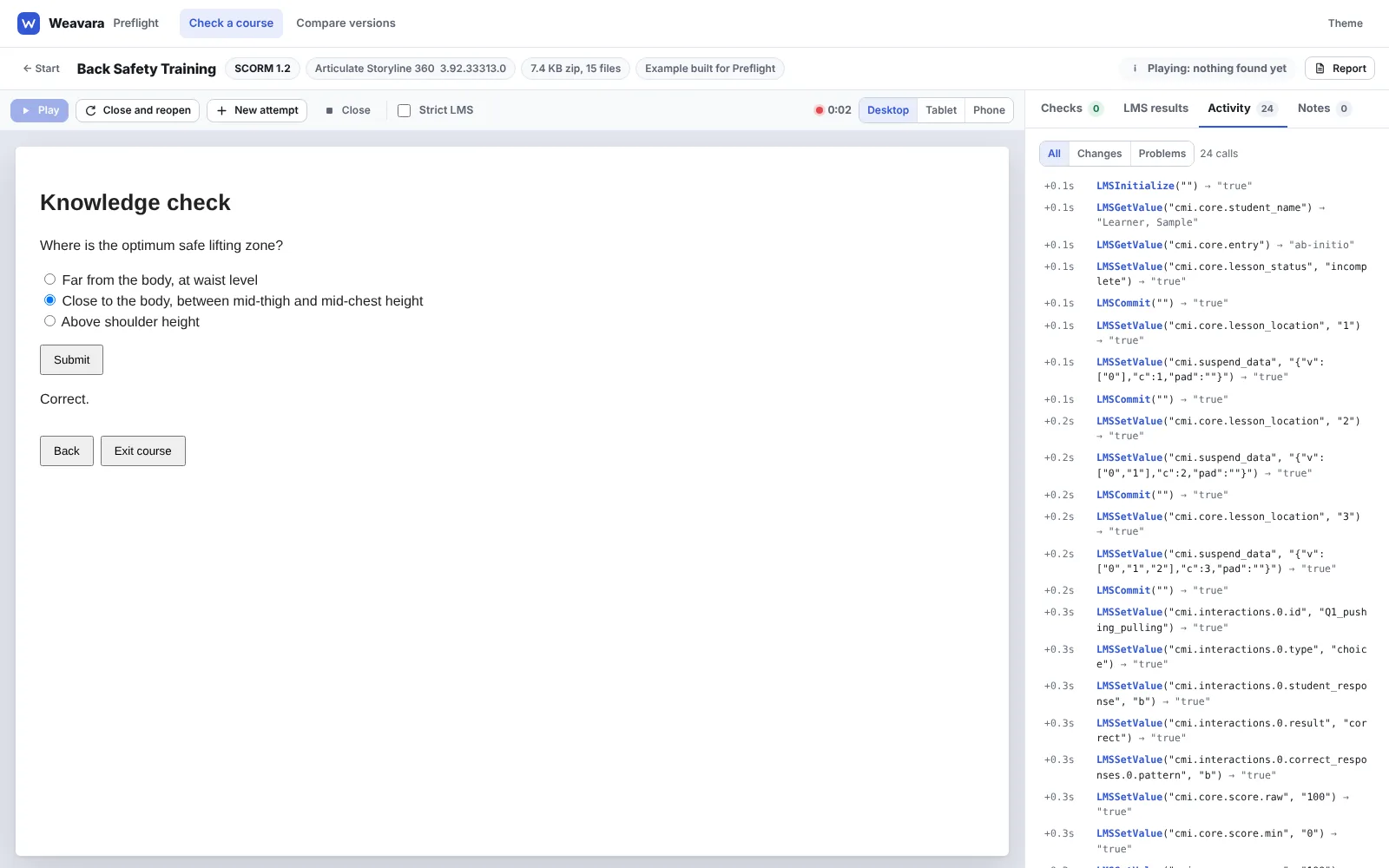
Play the package against a stand-in LMS. Every call it makes is logged with its time, what it sent and what came back.
Free, no account.
Back Safety Training
SCORM 1.2Articulate Storyline 360 3.92.33313.07.4 KB zip, 15 filesExample built for Preflight
Activity24 calls, 7 shown
- +0.1s
LMSInitialize("")→ "true" - +0.1s
LMSGetValue("cmi.core.entry")→ "ab-initio" - +0.1s
LMSSetValue("cmi.core.lesson_status", "incomplete")→ "true" - +0.2s
LMSSetValue("cmi.core.lesson_location", "3")→ "true" - +0.3s
LMSSetValue("cmi.interactions.0.result", "correct")→ "true" - +0.3s
LMSSetValue("cmi.core.score.raw", "100")→ "true" - +0.3s
LMSSetValue("cmi.core.lesson_status", "passed")→ "true"
What you get
Every call, in order
The time, the call, what it sent and what came back.
Filters
All calls, only the changes, or only the problems.
Checked against the standard
Calls the standard does not allow are flagged as they happen.
Desktop, tablet and phone
Play the course at each size. Strict LMS mode refuses values a strict LMS would refuse, such as text that is too long.
How it works
- Drop the zipDrop a published SCORM 1.2, SCORM 2004, xAPI or cmi5 zip on Preflight. Any authoring tool.
- Play itPreflight launches the course the way an LMS does and logs what it reports.
- Read the resultsThe verdict and the results update as the course runs, and settle when it closes.