FeaturesCheck
Find problems in a SCORM package before you upload it
Drop a published zip and Preflight checks it for what makes an LMS reject or break a course. Each problem says which files and how to fix it.
Free, no account.
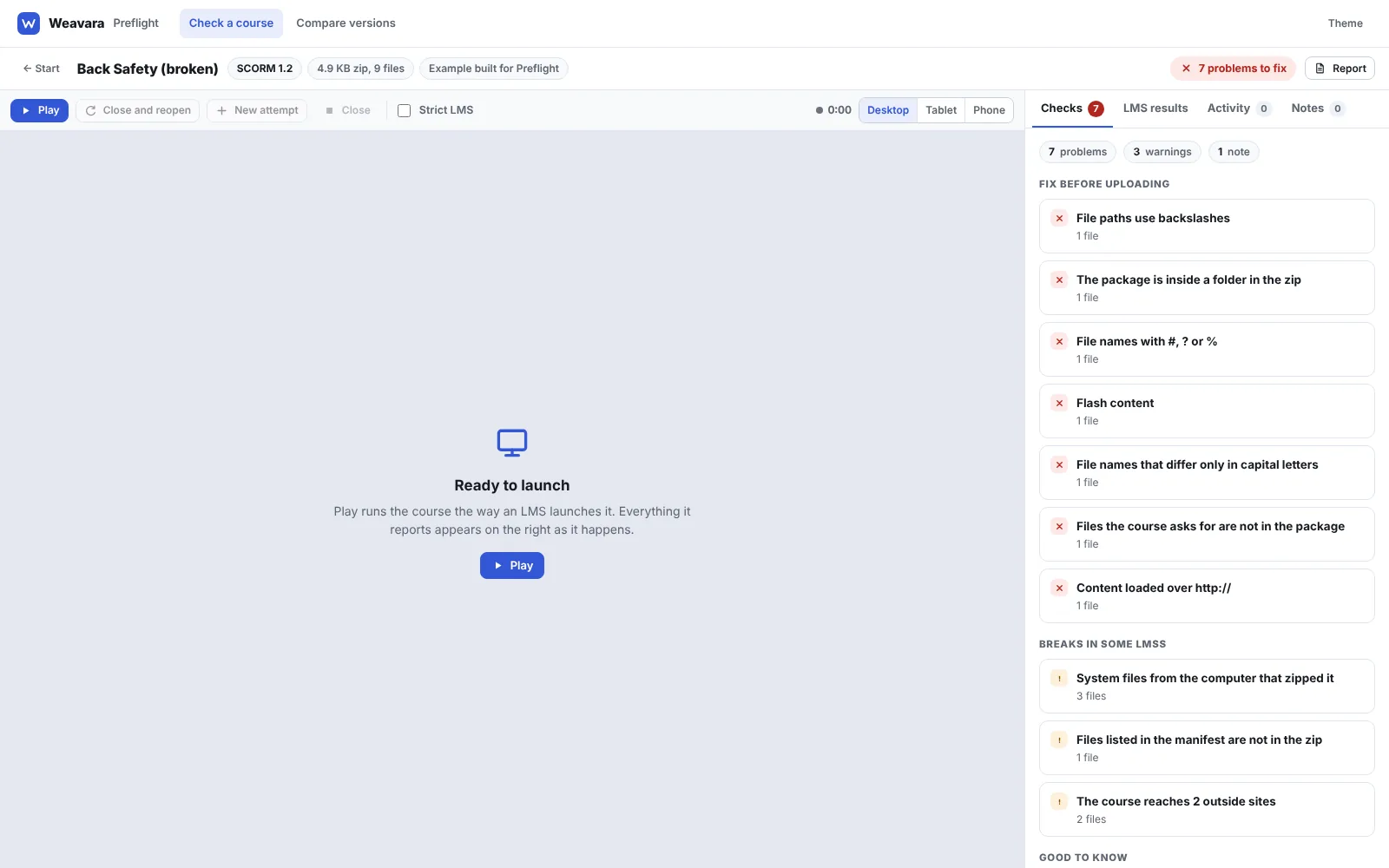
Fix before uploading
- File paths use backslashes1 file
- The package is inside a folder in the zip1 file
- File names with #, ? or %1 file
- Files the course asks for are not in the package1 file
- Content loaded over http://1 file
and 2 more
Fix: Zip the folder again with the zip built into Windows (Send to > Compressed folder) or macOS, or publish straight to zip from the authoring tool.
What you get
Files the course needs
Files the course asks for that are missing, and files the manifest lists that are not in the zip.
Names LMSs reject
Windows-style paths, names with #, ? or %, and names that differ only in capital letters.
Content that will not load
Flash, content loaded over http:// and the outside sites a course reaches.
How it was zipped
A package inside a folder, and system files from the computer that zipped it.
Sorted by how much it matters
Fix before uploading, breaks in some LMSs, and good to know. Each with its files and a fix.
How it works
- Drop the zipDrop a published SCORM 1.2, SCORM 2004, xAPI or cmi5 zip on Preflight. Any authoring tool.
- Read the checksProblems first, then what breaks in some LMSs, then what is good to know.
- Fix and drop it againEach problem names its files and says how to fix it.
It reads every standard
- SCORM 1.2, SCORM 2004, xAPI and cmi5, from any authoring tool.
- It names the tool that made the package when the package says so: Storyline, Rise, Captivate or iSpring.