FeaturesPlay
Check that a course reports completion, pass and score
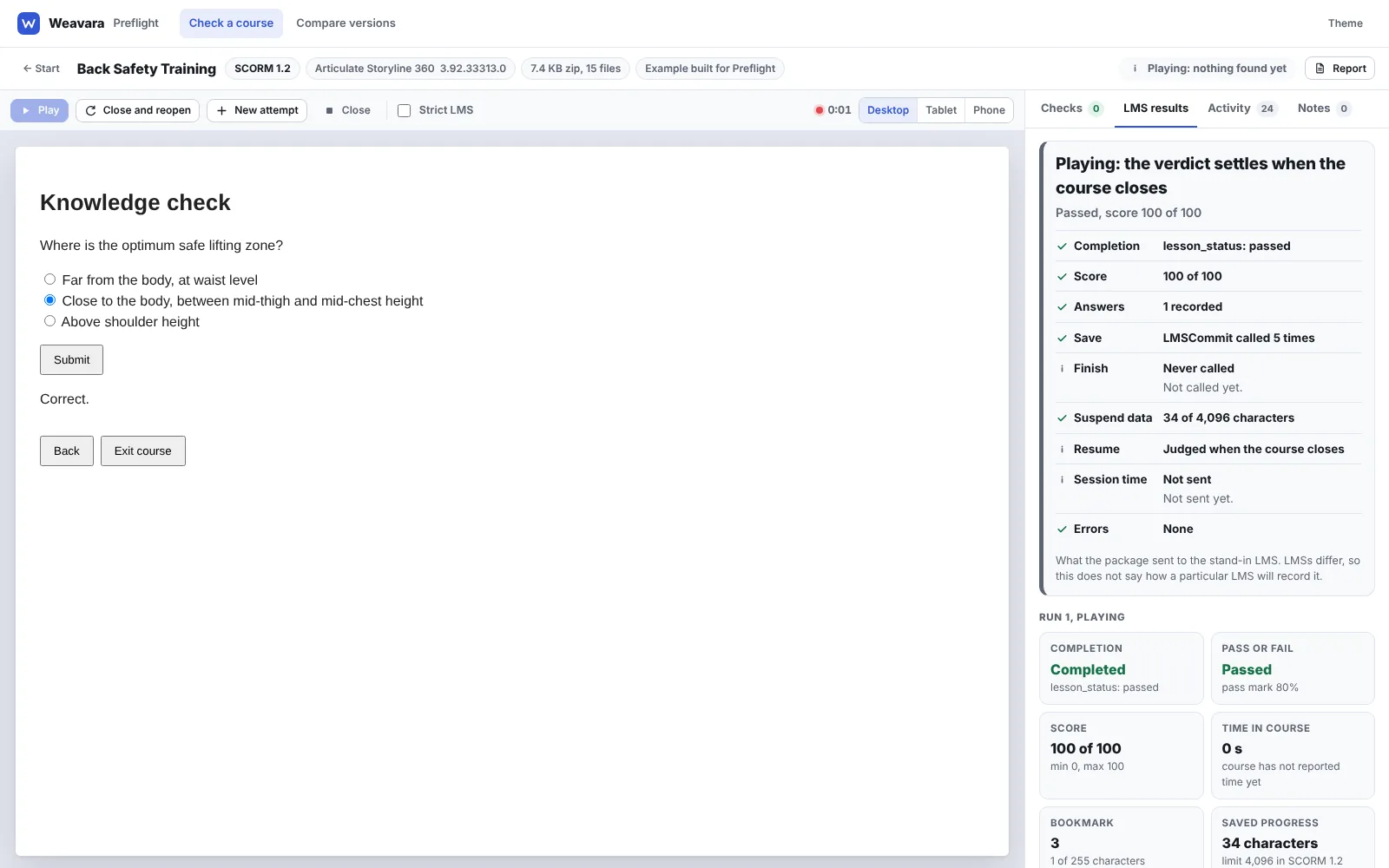
Play the course through. Preflight shows what it reported: completion, pass or fail, the score, each answer and how much progress it saved.
Free, no account.
Back Safety Training
SCORM 1.2Articulate Storyline 360 3.92.33313.07.4 KB zip, 15 filesExample built for Preflight
LMS resultsRun 1, playing
Passed, score 100 of 100
- Completion
- lesson_status: passed
- Pass or fail
- Passed, pass mark 80%
- Score
- 100 of 100
- Answers
- 1 recorded
- Save
- LMSCommit called 5 times
- Suspend data
- 34 of 4,096 characters
What you get
A verdict
One line at the top: what the course reported, and what still needs a look.
Pass or fail
The status and the pass mark set in the package, side by side.
Each answer
The question, the answer given, the correct answer and the result.
Saved progress and time
Bookmark and suspend data against the standard's limits, and the time reported.
How it works
- Drop the zipDrop a published SCORM 1.2, SCORM 2004, xAPI or cmi5 zip on Preflight. Any authoring tool.
- Play itPreflight launches the course the way an LMS does and logs what it reports.
- Read the resultsThe verdict and the results update as the course runs, and settle when it closes.
What it can and cannot tell you
- It shows what the package sent to the stand-in LMS.
- LMSs differ, so it does not say how a particular LMS will record it.