FeaturesReport
Write up a course test as you play it
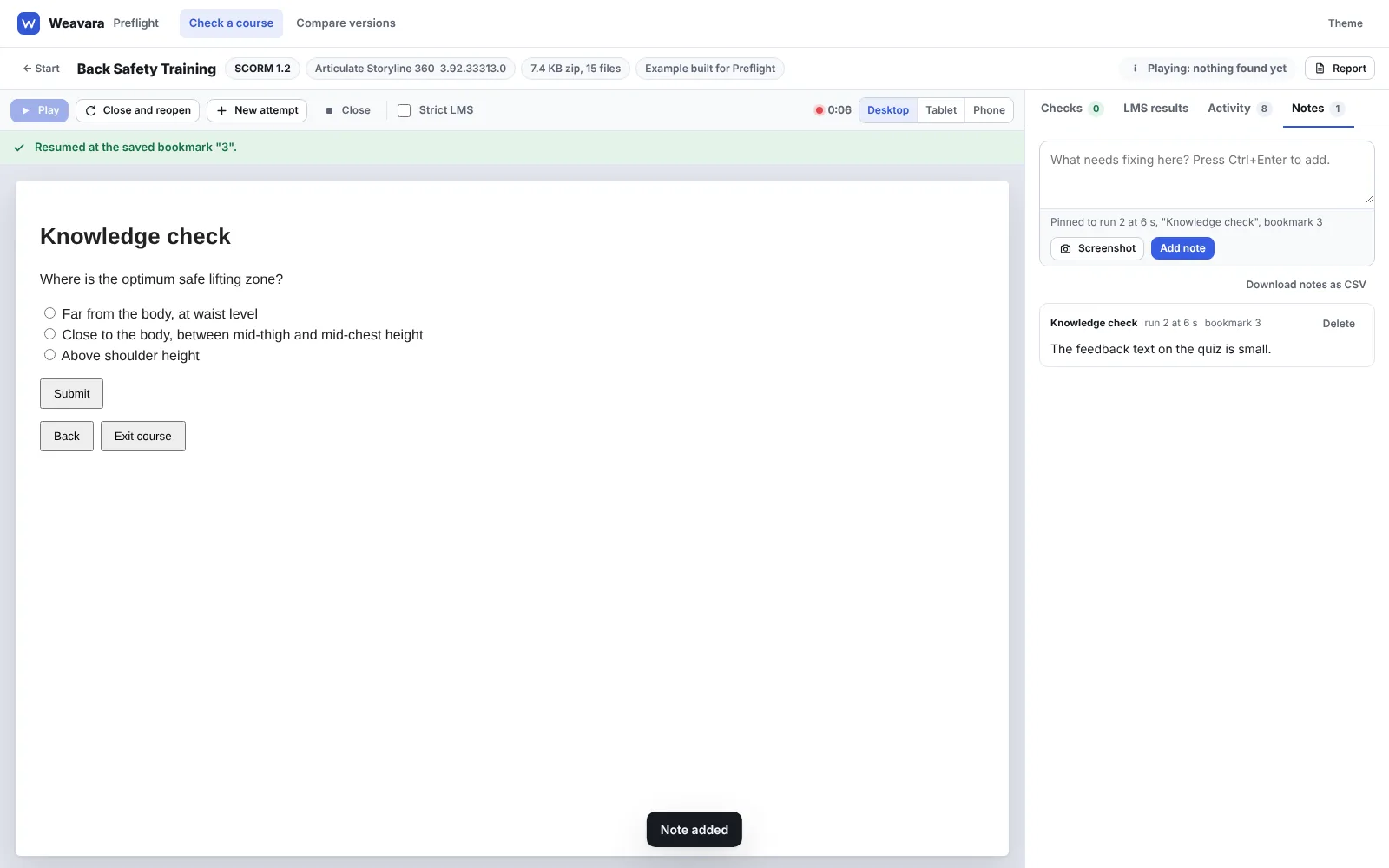
Pin a note to the screen you are on. Each note keeps the run, the time and the bookmark. Download a report with the checks, the results and every note.
Free, no account.
Back Safety Training
SCORM 1.2Articulate Storyline 360 3.92.33313.07.4 KB zip, 15 filesExample built for Preflight
Notes1 note
Knowledge check, run 2 at 6 s, bookmark 3
The feedback text on the quiz is small.
In the report
- Verdict
- What the LMS records
- Checks
- Notes (1)
What you get
Pinned to the screen
Each note keeps the run, the time, the screen's title and the bookmark.
A screenshot
Take a screenshot of the course for a note, where the browser allows it.
One report
A page with the verdict, the checks, the LMS results and every note.
Notes as CSV
Download the notes alone as a spreadsheet.
How it works
- Drop the zipDrop a published SCORM 1.2, SCORM 2004, xAPI or cmi5 zip on Preflight. Any authoring tool.
- Play itPreflight launches the course the way an LMS does and logs what it reports.
- Note and downloadPin notes as you go, then download the report.